Let Your Music Breathe with Symbolic Music’s Synchrony

In today’s digital music production world, precision often comes at the cost of expression. Quantization may tighten your timing—but it can also strip away the subtle human feel that makes music truly alive.

That’s exactly the problem Symbolic Music Synchrony aims to solve.

A New Way to Capture Musical Expression

Synchrony is a performance encoder designed for composers, producers, and musicians who want their music to move naturally. Instead of forcing performances into rigid grids, it extracts a tempo map directly from your playing, preserving every nuance of timing and dynamics.

This means your original performance becomes the foundation for your entire arrangement—keeping the emotion intact while allowing full flexibility in production.

Why It Stands Out

What makes Synchrony powerful is its ability to bridge the gap between human performance and digital workflows:

  • 🎹 Preserves interpretation – Your expressive timing drives the session, not the other way around.
  • Automates tedious work – Generates tempo maps instantly, saving hours of manual editing.
  • 🎼 Keeps everything in sync – Every instrument follows the same expressive tempo map.
  • 🎧 Maintains clean MIDI – Expression is stored separately, keeping your data editable and notation-ready.

Built for Modern Composers

From film scoring to orchestral mockups, Synchrony is designed for complex, expressive music. It even allows note-by-note alignment between a performance and a score—giving you full control when you need it.

Behind the scenes, the software is grounded in advanced research in musical performance analysis, bringing academic innovation directly into real-world workflows.

Final Thoughts

If you’ve ever felt the frustration of choosing between musical feel and technical precision, Synchrony offers a compelling alternative. It doesn’t just help you produce music—it helps you preserve the soul of your performance.


https://www.symbolicmusic.com

Unlock Infinite Rhythm: Why Unison Drum Monkey is a Game-Changer for Producers

If you’ve ever stared at a blank DAW screen, waiting for the perfect beat to hit you, you know the struggle of “producer’s block.” Rhythm is the heartbeat of any track, but crafting a professional, genre-perfect drum loop from scratch can take hours of tedious clicking.

Enter Unison Drum Monkey.

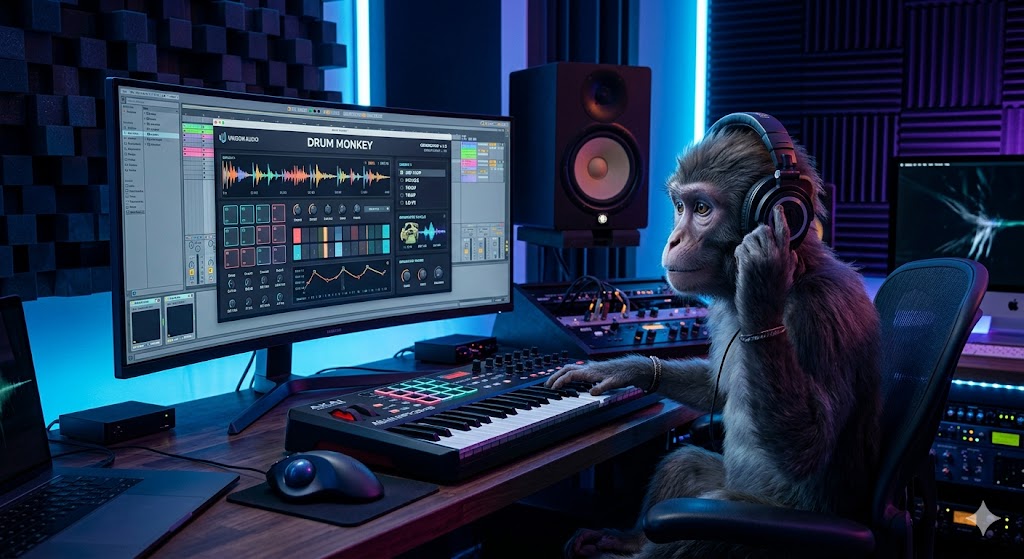
Drum Monkey is the world’s first genre-specific drum loop generator powered by AI. Whether you’re producing Hip Hop, House, Pop, or even Country, this plugin allows you to generate radio-ready drum loops with a single click.

Why it’s a must-have for your studio:

  • 30 Genres at Your Fingertips: From Lo-Fi to Dubstep, the AI has analyzed thousands of hit songs to understand the “secret sauce” of every style.
  • Infinite Inspiration: Never get stuck again. Click the “Monkey” button to instantly hear a fresh, unique pattern tailored to your track.
  • Total Control: It’s not just about “random loops.” You can drag and drop MIDI or Audio directly into your DAW, swap out samples from the 3,000+ built-in library, or use your own sounds.
  • Workflow Speed: Finish more music in half the time by getting the foundational groove right in seconds.

Currently, Unison is offering a special deal where you can grab Drum Monkey for 75% off, plus a bundle of exclusive bonuses (including MIDI packs and bass loops). If you’re ready to stop “tweaking” and start “finishing,” this is the tool you’ve been waiting for.


https://unison.audio/dm-special

Elevate Your Sound: Meet the Orchestral Mixing Advisor

Mixing a full orchestra is one of the most daunting tasks for any composer. Between balancing frequencies, carving out space for woodwinds, and ensuring the percussion doesn’t wash out the strings, it’s easy to get lost in a “muddy” mix.

Enter the Orchestral Mixing Advisor by Kamil Rzeczkowski—a lightweight, browser-based tool designed to take the guesswork out of cinematic production.

Why It’s a Game Changer

Unlike complex plugins that require heavy CPU or long installations, this tool is an interactive assistant that lives in your browser. It provides instant, visual guidance based on professional mixing practices.

Key Features:

  • Orchestral EQ Advisor: Get specific frequency suggestions for every section of the orchestra. It identifies “problem zones” and tells you exactly where to boost for clarity or cut to remove harshness.
  • Pan & Reverb Placement: Creating a realistic “stage” is hard. This tool provides recommended stereo positions and reverb depth levels to help you achieve a natural, wide orchestral image.
  • No-Friction Workflow: No login, no ads, and no installation. It’s designed to be a quick-reference guide that stays open while you work in your DAW (Cubase, Logic, Ableton, etc.).

Whether you are a student just starting with MIDI mockups or a professional film composer looking to speed up your workflow, the Orchestral Mixing Advisor is a must-have in your digital toolkit. The best part? It’s currently available for free.


https://buymeacoffee.com/kamilrzeczkowski/e/481131

SnappySnap – a real Game Changer

SnappySnap is an innovative plugin host designed for musicians and producers to enhance their existing VST3 and AU instruments and effects. By acting as a control layer, it allows users to capture 12 distinct snapshots of a plugin’s state and seamlessly morph between them using an XY pad or a linear fader. The software features advanced randomization and breeding tools that utilize genetic algorithms to generate entirely new presets from existing settings. Beyond manual control, it includes an autonomous drift mode and physics-based elasticity to create organic, evolving textures that are difficult to achieve with standard automation. Notably, it is the first audio tool to integrate AI connectivity via the Model Context Protocol, enabling conversational sound design and intelligent parameter manipulation. This comprehensive meta-preset manager unifies workflow across different plugins while offering deep MIDI integration for live performance.


https://electricsmudge.com

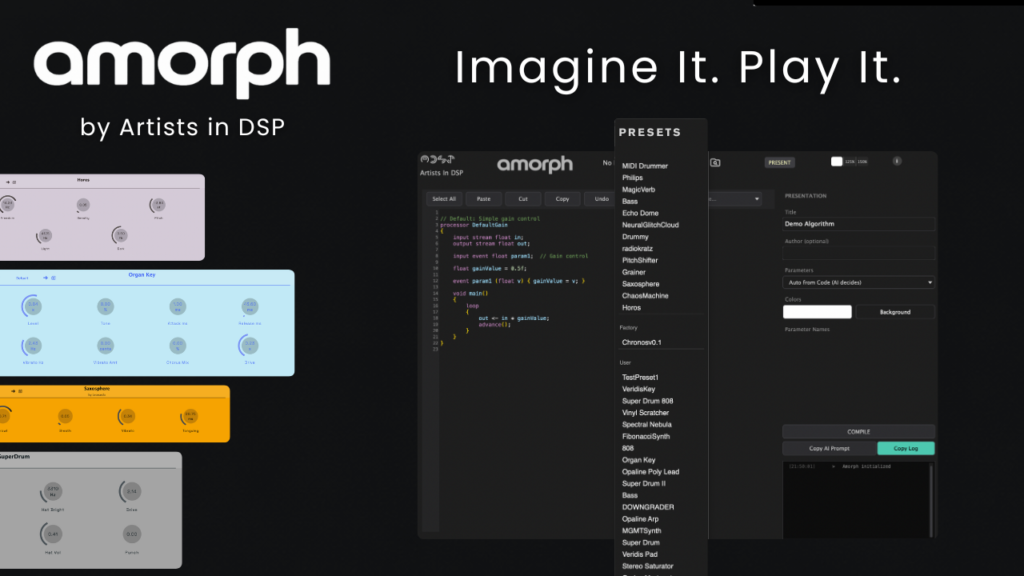
Amorph: The World’s First Prompt-Based Audio Plugin

Imagine a single audio plugin that isn’t static, but can instead transform into any audio effect or MIDI instrument you can describe. Traditionally, software developers spend months coding a single reverb or synthesizer, but Amorph, a new tool from Artists in DSP, changes the cycle by allowing users to generate functional DSP code in minutes.

How It Works: From Idea to Instrument

Unlike hardware platforms that offer similar prompt systems, Amorph is built for VST3, bringing this technology directly into your DAW with support for deep automation and session recall. The plugin operates in two distinct modes: a standard plugin view and a “Lab Mode,” which acts as a workshop and code editor.

To create a new tool, you don’t need to be a programmer. The workflow is straightforward:

1. Generate a Prompt: Click a button in Amorph to copy a ready-to-use prompt containing specific rules and parameter maps.

2. Use an LLM: Paste that prompt into a language model like ChatGPT, Claude, or Gemini and describe the instrument or effect you want (e.g., “a warm arpeggiated poly-synth”).

3. Compile: Paste the resulting code back into Amorph and hit compile. The plugin uses a controlled DSP sandbox to safely swap algorithms in milliseconds without crashing your DAW.

Key Features and Capabilities

Amorph uses C major, a specialized DSP language designed for audio. This allows for a wide range of creations, from simple filters to complex MIDI instruments and weird hybrid effects.

Dynamic Presets: You can save entire algorithms as presets, essentially building a personal rack of custom synths and effects within a single plugin.

Iterative Refinement: If the AI generates code with an error, you can simply copy the error from Amorph’s logger, paste it back into the AI for a fix, and re-compile.

Community Focused: For those who prefer not to use AI, Amorph supports community-shared presets, allowing users to explore and tweak what others have built.

Limitations and Future Development

While powerful, Amorph currently focuses on sound over aesthetics. The user interface is limited to simple knobs and readouts rather than fancy graphics. Additionally, it is designed for digital signal processing (synthesis, modulations, and time-based effects) rather than loading massive sample libraries or running machine learning models.

Open Beta and Pricing

In an effort to avoid limiting creativity, the team at Artists in DSP is releasing Amorph for free. The project is currently moving into an open beta, inviting musicians and creators to see how far they can push the boundaries of prompt-based audio software


https://artistsindsp.gumroad.com/l/amorphearlyaccess

Meet Aiode: Your New Ethical AI Session Musicians

Are you a producer looking to expand your sound without losing your creative soul to a cold algorithm? Enter Aiode, a groundbreaking music production platform that is redefining the role of AI in music creation. Forget generic, one-click song generators designed for non-musicians. Aiode is a professional tool built for serious creators who want to collaborate with AI, not just command it.

Your Virtual Studio Band

At its core, Aiode gives you access to a roster of “Virtual Musicians.” These aren’t just random sound bots; they are sophisticated AI models trained on the unique playing styles and nuances of real, human artists. Imagine having a world-class session bassist, drummer, or keyboardist ready to jam along with your track at any hour. You guide their performance in a session-like workflow, tweaking everything from playing style and complexity to emotional intensity. The result is a performance that feels authentic and is uniquely tailored to your vision.

Built for Professional Workflows

Aiode is designed to integrate seamlessly into a real production environment. Its sleek, DAW-like desktop application offers granular control over every part of your arrangement. You can generate multiple takes for any region, edit with precision, and build complex, full-sounding tracks using the powerful “Layers” feature, which acts as an intelligent co-producer to generate complementary instrumental parts. Crucially, you can export your work as high-fidelity, 48kHz/24-bit WAV stems, ready for final mixing in your favorite DAW.

The Ethical Edge

Perhaps most impressively, Aiode is tackling the controversial ethics of AI music head-on. Their models are built on what they call a “Fair Trade AI framework.” This means they are trained exclusively on ethically sourced data from real musicians who opt-in and are fairly compensated through a revenue-sharing model. You can use these powerful tools with a clear conscience, knowing you are supporting human artistry rather than undermining it.

Aiode isn’t here to replace the musician. It’s here to empower you with the ultimate virtual band that never sleeps, never complains, and is always ready to follow your lead.


https://aiode.com

Meet Your New AI Co-Writer: How Staccato.ai is Transforming Music Production

We’ve all been there: staring at a blank Digital Audio Workstation (DAW) screen, waiting for a melody that just won’t come. Whether you’re a professional producer or an aspiring songwriter, creative blocks are the ultimate vibe-killer.

Enter Staccato.ai, the AI-powered co-writer designed to act as the “Lennon to your McCartney.” Unlike other AI tools that try to replace the artist, Staccato is built to inspire you, providing the MIDI “sparks” you need to keep your flow state alive.

What is Staccato?

Staccato is an advanced AI music assistant that lives right in your DAW as a VST3 or AU plugin (and a standalone desktop app). It focuses on MIDI generation, meaning it provides the musical “notes” and “instructions” rather than just audio loops. This gives you total control to change the instruments, tweak the notes, and truly make the music your own.

The Powerhouse Features

Staccato’s “AI Instrument™” offers four main ways to collaborate:

  • Create: Generate original MIDI stems and loops from scratch based on your prompts. Need a “90s grunge intro” or a “trap beat with triplets”? Just ask.
  • Accompany: This is the ultimate tool for building layers. It can write a drum part based on your bassline, or a melody that perfectly fits your chord progression.
  • Extend: Stuck on a bridge or a second verse? Staccato analyzes your existing MIDI and suggests what should come next, maintaining your unique style.
  • Rewrite: Give your existing ideas a fresh perspective. Staccato can take your melody and offer variations that keep the core “soul” while changing the rhythm or flair.

Why Producers Love It

  1. Professional Pedigree: Staccato is already being used by award-winning producers behind icons like Drake, The Weeknd, and Paul McCartney.
  2. Ethical AI: In a world of copyright concerns, Staccato stands out. They train their models responsibly using data that respects artists, ensuring that you own everything you create—100% royalty-free.
  3. Seamless Integration: It works with all major DAWs, including Ableton Live, FL Studio, Logic Pro, and Cubase.

The Verdict

Staccato.ai isn’t a “make a song for me” button; it’s a high-level creative partner. It bridges the gap between a raw idea and a finished track, making it an essential tool for anyone looking to push their creative boundaries.

Ready to beat writer’s block? Check out Staccato.ai and start co-writing with AI today.

🪄 LALAL.AI — Vocal and Instrument Separation in Seconds

LALAL.AI is one of those tools that does one thing — and does it insanely well. Upload a track, and within moments it gives you separate stems for vocals, drums, bass, and more. The quality is top-notch; even tricky mixes come out clean. I use it to sample old recordings or extract elements for remixes. It’s like having a mastering engineer and an AI magician rolled into one. Simple, fast, and genuinely impressive.

https://www.lalal.ai/

🎤 Moises.ai — The Musician’s Swiss Army Knife

Ever wanted to remove vocals from a song to make your own backing track? Or isolate the bass to learn it by ear? Moises.ai does that — and a lot more. It uses AI to split songs into individual stems (vocals, drums, bass, etc.), change pitch or tempo, and even detect chords. It’s super intuitive and runs right in your browser or app. For musicians, it’s like having a practice, remix, and production lab in one place.

https://moises.ai/